
Five Stages of Design Thinking Explained
A practical breakdown of empathize, define, ideate, prototype, and test — with real examples from Canadian web projects

What Is Design Thinking?
Design thinking isn’t just for designers anymore. It’s become the go-to framework for solving problems — especially in web and digital product development. Whether you’re building a SaaS platform, redesigning an e-commerce site, or creating a mobile app, these five stages give you a structured way to approach the challenge.
The beauty of design thinking is that it puts the user first. You’re not guessing what people want — you’re actually asking them, listening to their problems, and building solutions around real needs. We’ve seen this approach work across dozens of Canadian tech companies, from startups in Toronto to established firms in Vancouver.
Here’s what you’ll learn: the five core stages, how to run each one, and practical tips for applying them to your next project.

Empathize: Understand Your Users
This is where it all starts. You’re not building what you think users need — you’re finding out what they actually need. Empathy is the foundation.
In this stage, you’ll conduct user research. Interviews, surveys, observation — whatever gets you close to real people and their real problems. A Toronto-based fintech company we worked with spent two weeks interviewing small business owners about their accounting pain points. That research revealed something surprising: they weren’t worried about complex features. They just wanted invoicing to take less than five minutes.
- User interviews (1-on-1 conversations)
- Contextual observation (watching people work)
- Surveys and questionnaires
- Creating user personas
- Documenting user pain points
Don’t skip this. It’s tempting to jump straight to building, but this stage saves you months of work down the road.


Define: Frame the Problem
Now you’ve got data. Lots of it. Time to make sense of it. The define stage is where you synthesize everything you’ve learned and actually state the problem you’re solving.
This sounds simple but it’s crucial. A lot of teams think they know the problem until they try to write it down clearly. You’re creating what designers call a “problem statement” — a clear, concise description of what needs to be solved and for whom.
That fintech company we mentioned? Their problem statement became: “Small business owners need to spend less than 5 minutes creating invoices so they can focus on running their business instead of admin work.” That’s specific. That’s measurable. That’s what guides everything that comes next.
- Problem statements
- User journey maps
- Empathy maps
- Insights and patterns from research
- Clear design challenge
Ideate: Generate Solutions
This is the fun part. You’ve got a clear problem. Now you’re brainstorming solutions — lots of them. The goal isn’t perfection. It’s quantity and diversity of ideas.
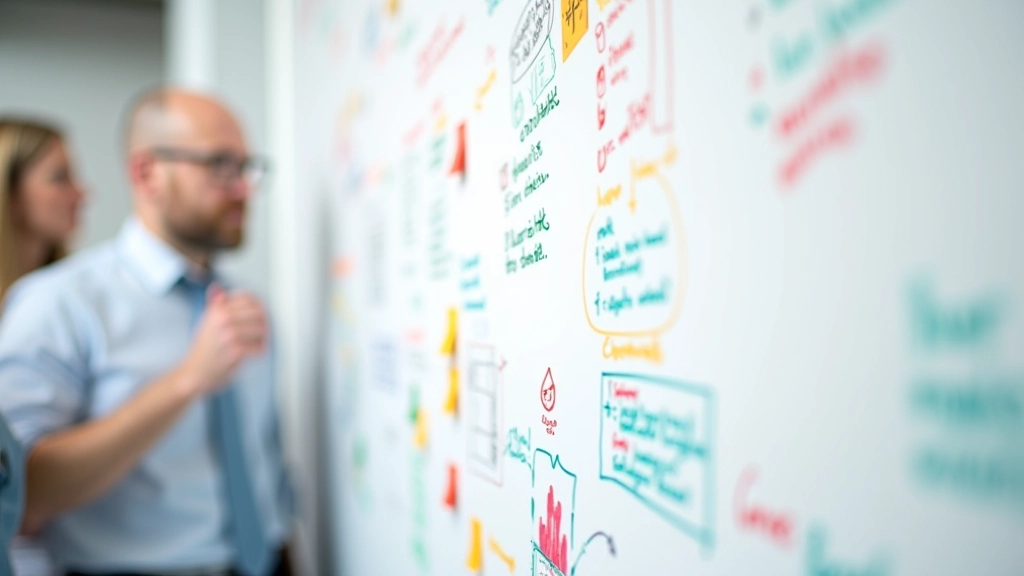
Ideation sessions work best when you get a mixed team in a room — developers, designers, product managers, maybe even a customer. Everyone brings different perspectives. You’ll sketch, write ideas on whiteboards, build on each other’s concepts. There’s no bad idea at this stage. You’re exploring possibilities.
One Vancouver e-commerce client we worked with came up with 47 different ideas for solving their checkout abandonment problem in a single afternoon. Most weren’t viable. But three of them were gold — and one became their core feature that reduced cart abandonment by 23%.
- Brainstorming sessions
- Sketching and mind mapping
- Crazy eights (8 ideas in 8 minutes)
- Storyboarding
- Building on others’ ideas

Prototype: Build to Learn
You don’t build the final product yet. You build prototypes — fast, rough versions designed to test specific ideas. A prototype could be a paper sketch, an interactive wireframe, or a working version of one feature.
The goal is learning, not perfection. You’re looking for what works and what doesn’t. A good prototype teaches you something in a fraction of the time it’d take to build the real thing. Most prototypes fail, and that’s exactly what you want — you want to fail fast and cheaply.
We’ve seen teams spend weeks on prototypes only to discover a core assumption was wrong. But here’s the thing — discovering that during prototyping beats discovering it after you’ve spent six months building the full product.
- Paper sketches and storyboards
- Wireframes and low-fidelity mockups
- Interactive prototypes (Figma, Sketch)
- Working code prototypes
- Role-playing and simulation
Test: Get Real Feedback
Now you put your prototype in front of actual users. Not stakeholders. Not your team. Real people who’d use this thing. You’re watching them interact with it, listening to their reactions, understanding what works and what confuses them.
Testing isn’t about proving you’re right. It’s about discovering where you’re wrong. When someone struggles with your prototype, that’s valuable. It tells you exactly what needs to change. You’ll usually test with 5-8 users — that’s enough to spot major issues without getting lost in data.
Here’s the critical part: design thinking isn’t linear. After testing, you often loop back. Maybe you refine your prototype and test again. Maybe you go back to ideation and generate new solutions. Maybe you’ve learned something that changes your problem statement. That’s not failure — that’s the process working.
- Usability testing sessions
- User interviews with prototype
- A/B testing (for digital products)
- Surveys and feedback forms
- Analytics and usage data

Putting It All Together
Design thinking works because it forces you to slow down and understand before you build. It’s not the fastest path from idea to launch, but it’s the path that leads to products people actually want to use.
The five stages don’t happen in isolation. You’re constantly cycling through them. You empathize, define, ideate, prototype, test — then you test what you learned and go back to ideate again. This isn’t a flaw. This is how good products get built.
“Design thinking turned our development process from guessing to knowing. We stopped building features we thought users needed and started building what they actually asked for. It changed everything.”
— Sarah M., Product Manager, Toronto SaaS Company
If you’re starting a new project, try running through these five stages intentionally. Set aside time for proper user research. Write down your problem statement clearly. Spend an afternoon in ideation. Build rough prototypes instead of jumping to polish. Get feedback from real users early.
It doesn’t require fancy tools. You don’t need expensive research software. Paper and conversations will get you 80% of the way there. The key is discipline — actually doing the work instead of skipping steps.
About This Guide
This article is educational material explaining design thinking methodology based on widely-adopted frameworks. Design thinking approaches vary across organizations and industries. The techniques and stages described here represent common practices, but your specific implementation should be tailored to your project context, team capabilities, and business goals. Results will vary based on how thoroughly each stage is executed and how well your team follows the iterative process. This guide is not a substitute for professional design consulting services.